
I have five WEM3080 meters.
I wish to display the power graph from two separate meters (Grid Power and also Vaillant power), one below the other, in a single chart…like the attached image of ‘Iammeter Combined Graphs.png’
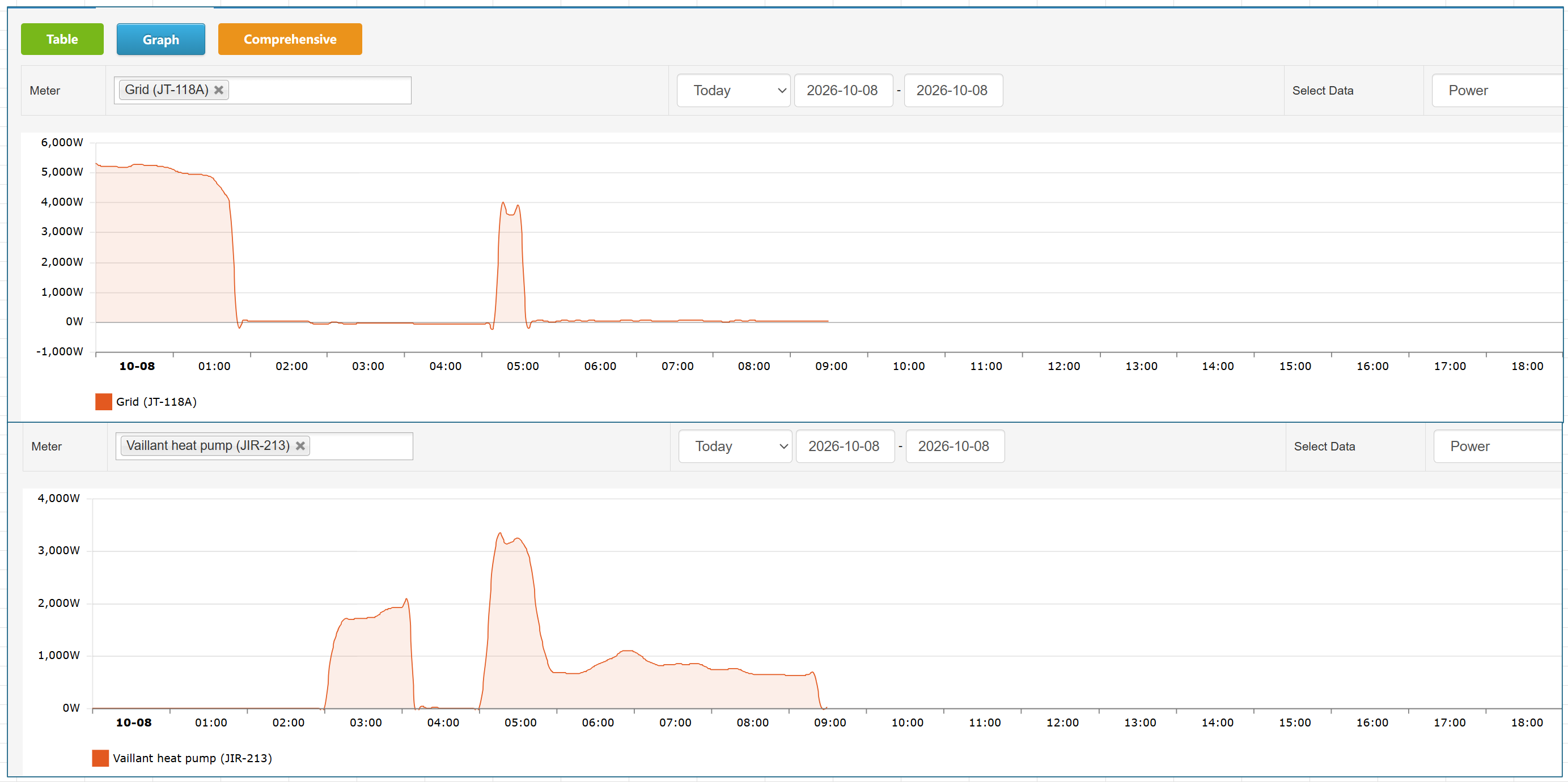
How can I do this, please?
Warren

Hi, please let me know whether these two meters are added in the same "place" or not.
Hello Laoliu,
Thank you.
These 2 meters are at my home, same address:
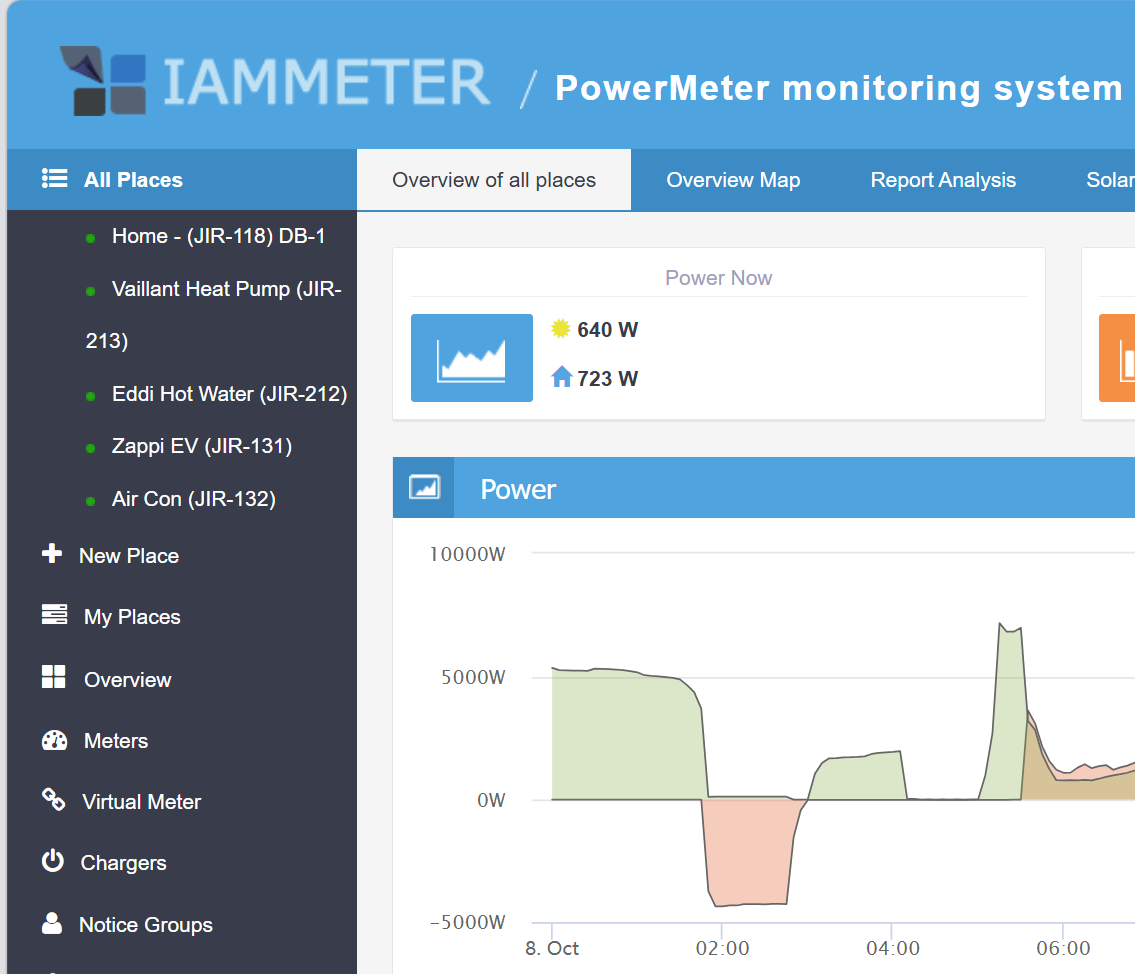
I want to combine the graph of Grid (on the Home WEM3080T) and Vaillant 3080.
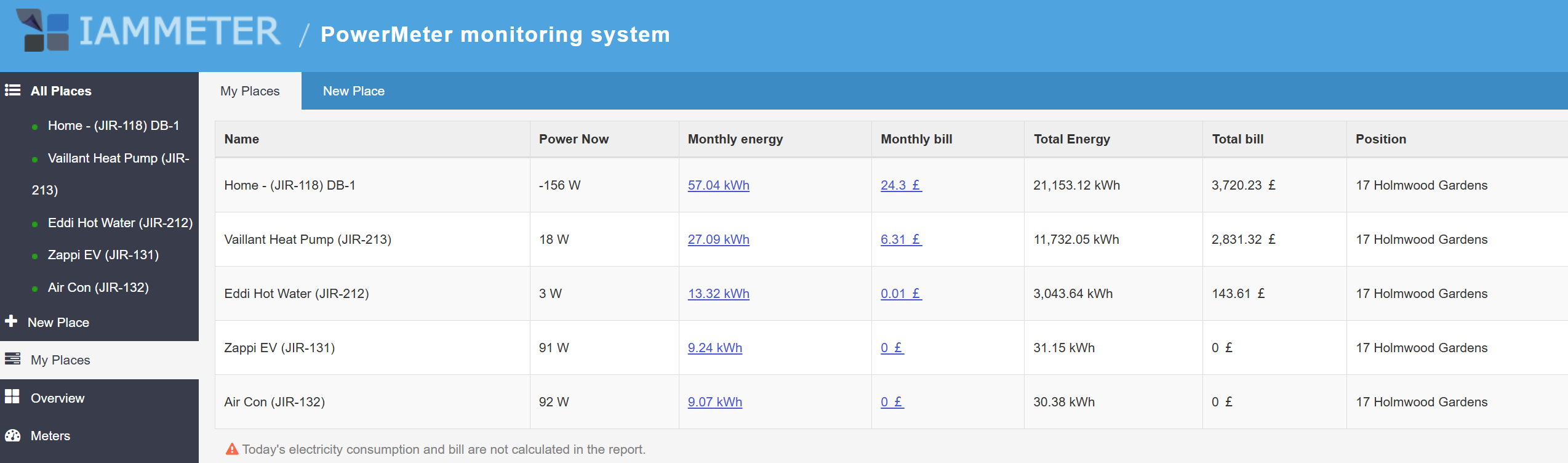
Many thanks,
Warren
Hi Warren,
Thanks for the screenshot.
From what I can see, these two meters are currently added under two different Places in IAMMETER-Cloud.
Just to clarify, a “Place” in IAMMETER-Cloud is a logical unit in the system. It does not necessarily mean a different physical address.
For example, one Place can contain different types of meters, such as Grid and Inverter meters, and IAMMETER-Cloud will use the meters inside that Place to calculate the energy usage and billing for that Place.
In the current design, different Places are treated as separate billing units.
So before we consider combining the power graphs across different Places, could you please explain a little more about your use case?
In what situation do you need to compare or combine the power from two different Places on the same graph?
Thanks
Laoliu
Good day Laoliu,
Thanks for the reply. I use my 5 x3080 meters to monitor energy flow across my home, which has got 2 independent solar PV systems (Solax and myenergy) and an air source heat pump and hot water diverter and EV charger.
At present I am doing comparisons as per the Excel chart below.
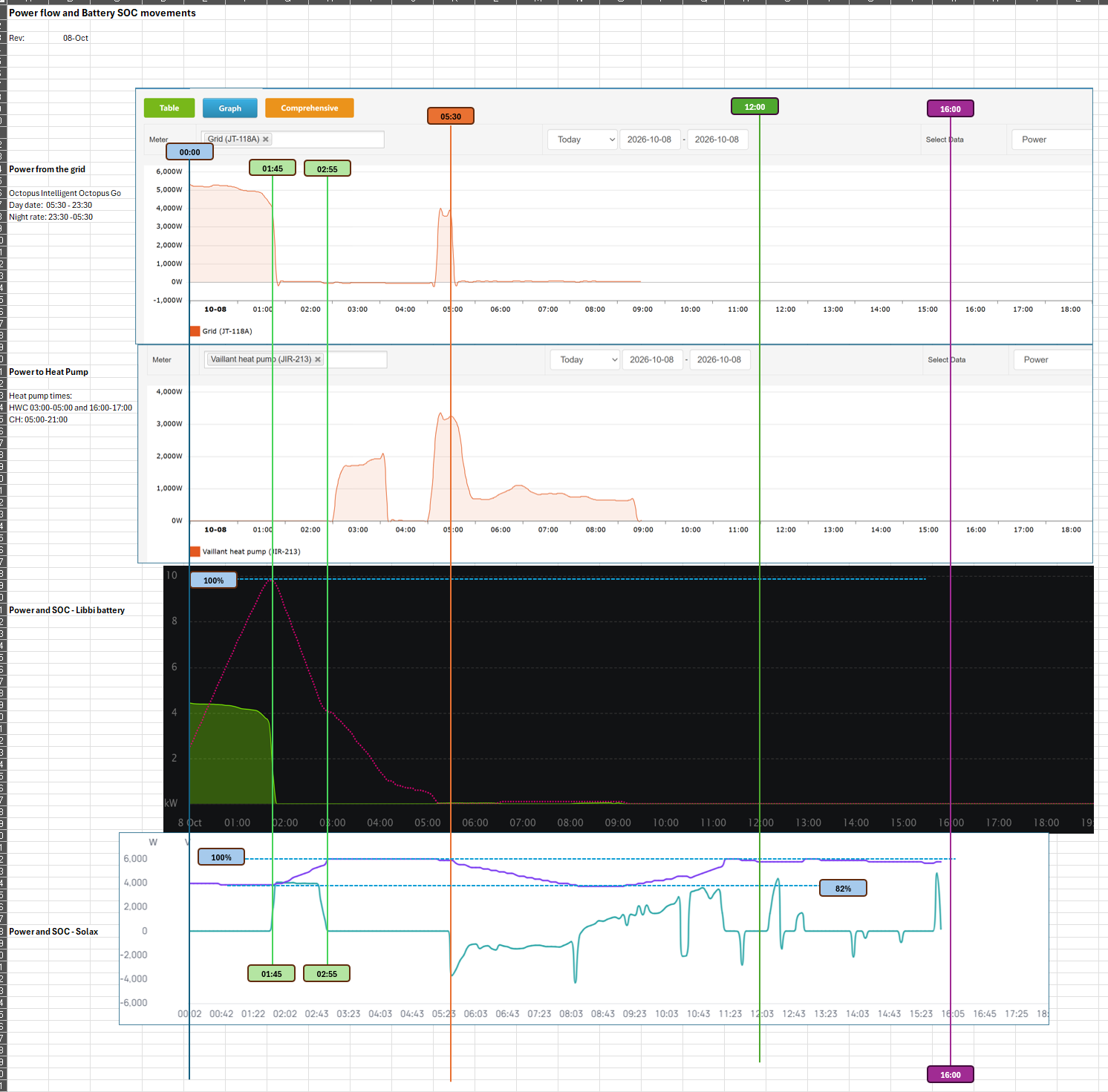
It seems to me I should have all 5 of my meters in 1 "Place". I had this same confusion recently when I purchased another 2 x WEM3080 meters for my aircon and my Zappi EV charger. I just added the 2 new meters. It was not clear that the word 'Place' means something different to my understanding.
How should I move the meters into a single 'Place', but not to lose any old data during a move?
Many thanks,
Warren
Hi Warren,
Yes, it is better to move all five meters into one "place"
But we can not move the data of coustomers ,thanks for your understanding.
Laoliu
Thanks Laoliu,
Am I able to move the meters to a single Place?
I think in your note above, you have indicated that all past data will be lost if I move the meters?? Is that correct?
Thanks,
Warren
Hi Warren,
Yes, as the process would be
1 delete four places.
2 add each sn of the four places in the first place.
The deleting operation would lost the data
Laoliu
Good morning Laoliu,
Many thanks for your reply. OK, I will keep the 3080T as my 'Place', and I will delete the 4 x 3080 and then add them to the main 'Place'.
Because of data loss, I will do this task early on Day1 of November month, so my monthly data starts from new on 01November 2026.
Does that sound OK?
If I do that...can I have 2 graphs underneath each other, like in my first picture (on 08 October) above?
Kind regards,
Warren
Hello Laoliu,
I did move one of my meters (3080) to my main 'Place'.
This did not give me the outcome I wanted, so I have moved the meter (3080) back to its separate 'Place'.
Thanks for you kind help. I think I have a better understanding of the word 'Place'.
May I ask: When will the 3080 be able to report kWh data to 3 decimal places - at present 3080 reports kWh to 2 dec places?
Kind regards,
Warren
Hi Warren,
Sorry , I miss your replies before.
The WEM3080 and WEM3050T only support 2 decimal now.
Best Regards
Laoliu