
A few days back, i reset the factory settings of the WEM3080T and had to reconfigure my wifi into the meter via the access point.
The cloud reporting was restarted and everything worked fine again. About 6 hours later, the cloud reporting suddenly stopped at 23H55 without any fault reporting. Since then all data updates are no longer reported while all settings/config seems ok (run mode = cloud).When i access the meter locally I see that measures are made and that network is working. I've restarted the meter, the router, and the cloud interface but no change (stays blokked).
What can I do to restart the reporting into the cloud
Should it help, deleting the meter in the cloud setup and create a new entry with same data ?

Should it help, deleting the meter in the cloud setup and create a new entry with same data ?
Please do not do this ,it will not help.
As we need you SN for troubleshooting , so please email us [email protected]
including such informations
1 SN of your device
2 whether the wifi led is on ? whether you can still viist the local ip of your device.
3 the snapshot when you visit http://{the local ip of the device}
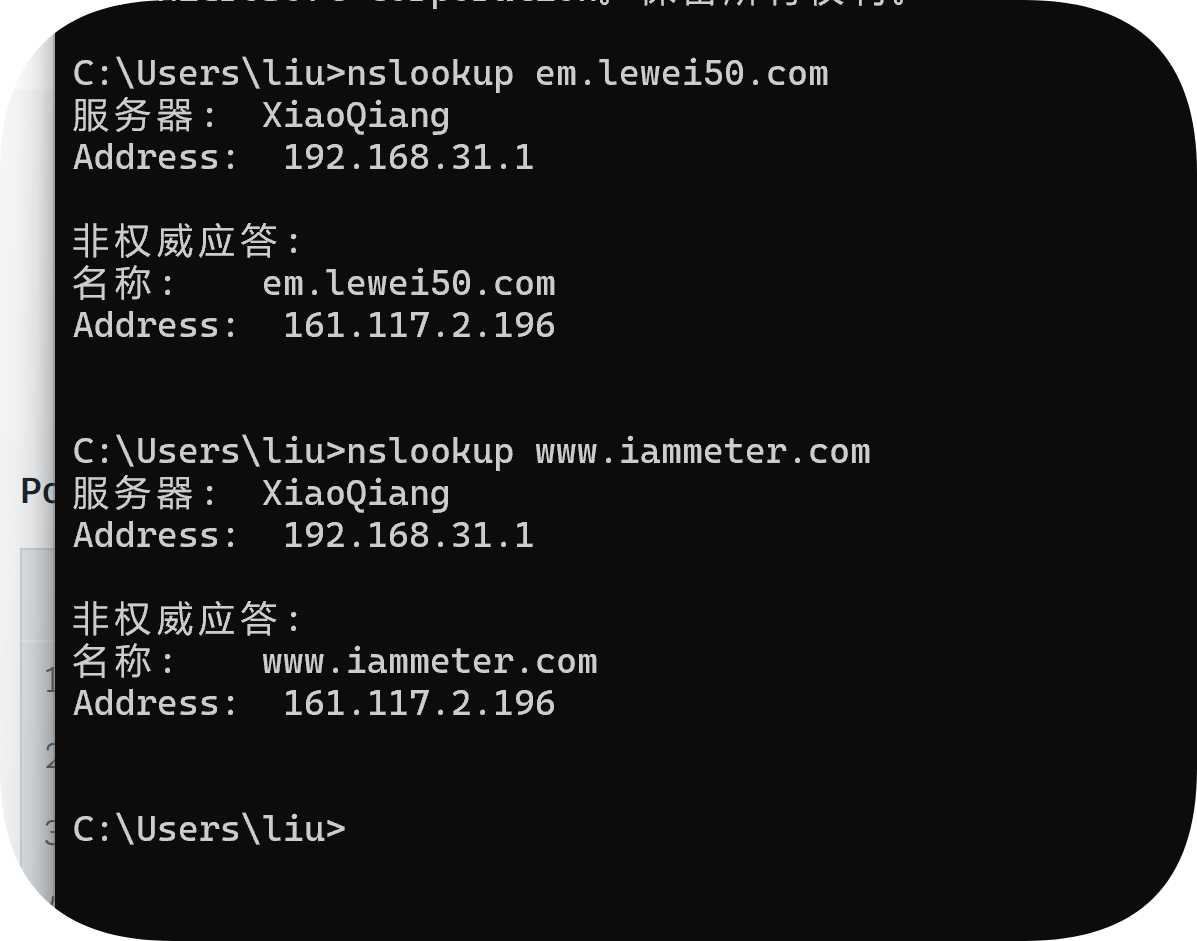
4 please use a laptop and run such command in cmd
nslookup www.iammeter.com
nslookup em.lewei50.com
and provide the snapshot of the result in email
like this below
Thanks for your replies.
Please do not post the private SN in public topic ,
As it is not properly to show the SN here , and I can not edit it to only remove the SN, I deleted your whole replies(I have read your replis ).
It is indeed strange.
The nslookup return for ipv4 is correct but the ipv6 is not correct . I think this is the reason of this issue .
Please check the DNS server you used and flush it .
when you use nslookup em.lewei50.com ,it would only return the ipv4 address
Hello,
I flushed the DNS cache but still the same situation remains: (no cloud updates)
C:\Users\gugoo>ipconfig /flushdns
Windows IP Configuration
Successfully flushed the DNS Resolver Cache.
I also reconfigured the iammeter local N/W-connection once more but issue remains.
Can you explain why after factory reset,I was indeed able to reconnect to the cloud but 12hrs later it stopped (around midnight) and without any local interaction locally on the system . Strange isn't it.
Hi,
"Can you explain why after factory reset, I was indeed able to reconnect to the cloud but 12hrs later it stopped (around midnight) and without any local interaction locally on the system . Strange isn't it."
I don’t think these two events are directly related. In fact, I suspect the issue is caused by the local DNS server. Please see my explanation below.
"C:\Users\gugoo>ipconfig /flushdns
Windows IP Configuration
Successfully flushed the DNS Resolver Cache."
This operation only flushes the DNS cache on your local laptop. It has no effect on the device itself and therefore won’t resolve the issue.
I believe the root cause may be related to what’s shown in the screenshot below:

It shows that the DNS server is communicating with your laptop via IPv6. I asked GPT about this, and here is its response:

Based on this, I suspect your local DNS server has recently started using IPv6 for communication. However, the device does not support DNS queries over IPv6. As a result, it fails to resolve the IAMMETER-Cloud domain and stops uploading data (since the device cannot obtain the correct IP address for IAMMETER-Cloud).
This assumption can be tested with either of the following two simple experiments:
-
Use your phone to set up a hotspot and connect the device to it. In this case, the DNS server used will come from your mobile carrier, which is likely to support IPv4. Check if the data upload resumes in this scenario.
-
Switch the device to HTTP mode and manually input the raw IP address of IAMMETER-Cloud. This bypasses the need for DNS resolution.
I’ll send you the raw IP address via email (to avoid posting it publicly here).
If data uploading resumes using either of the two methods above, please review your local DNS server configuration and make sure it supports IPv4 communication.
Let me know the results.